the door, drawn.
This is how git into gsoc looks and sounds. Every asset here is generated from one pixel grid by a script in the repository, so the identity is open source too. Use it to write about the project, build on it, or print a sticker. Just don't make it look official.
SVG first. PNG, ICO, and a WOFF2 font are included for the places that need them.
the idea.
The name is a pun on "get into", and the mark takes it literally.
The G is a doorway. Its opening, the gap every G has on the right, is the door. The small block at the threshold is a terminal cursor: the thing that blinks at you when the machine is waiting for you to type. In this identity the cursor is always the person. The G is the community they are stepping into, and it works for both Git and GSoC without borrowing either logo.
The cursor is the one thing allowed to move. On the website and in the README banner it blinks at one beat per second, the way a prompt does. Everything else stays still.
Both the mark and the typeface are drawn on a square grid with a thick stroke, so they stay sharp at 16 pixels and feel like one object at 16 feet. The grid is the retro-tech note. The lowercase voice and the violet keep it from reading as nostalgia.
logo.
Pick by background, not by taste. On light surfaces the cursor is ink; on dark surfaces it is lime. The tile works anywhere and is the avatar.

mark-light.svg for light backgrounds 
mark-dark.svg for dark backgrounds 
mark-tile.svg universal, avatar, favicon 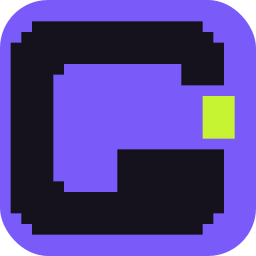
mark-tile-violet.svg merch and alt avatar 
mark-mono-ink.svg one colour, print 
mark-mono-paper.svg one colour, dark print 
lockup-horizontal-light.svg 
lockup-horizontal-dark.svg 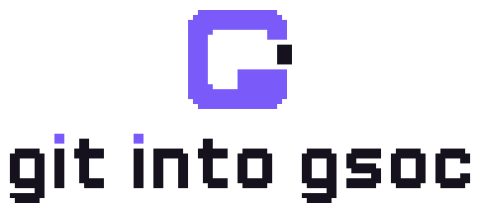
lockup-stacked-light.svg 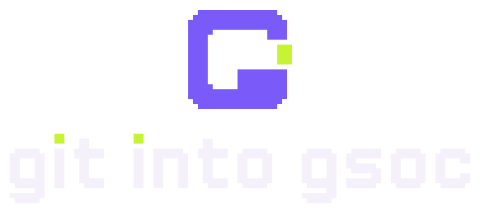
lockup-stacked-dark.svg 
wordmark-light.svg the dots are cursors 
wordmark-dark.svg
Do
- Keep clear space of one cursor width (3 grid units) around the mark.
- Use the tile below 48 px. Use the bare mark at 48 px and up.
- Scale in whole multiples where you can; the grid stays crisp.
- Let the cursor blink, and only the cursor. Respect reduced-motion settings.
- Say "git into gsoc" in lowercase in running text, and
git-into-gsocfor the command.
Don't
- Recolour the G outside the three schemes, or add gradients, outlines, or shadows.
- Rotate it, skew it, or set it in a circle other than GitHub's avatar crop.
- Replace the cursor with an emoji, a dot, an arrow, or a Git branch icon.
- Place it next to the Google or Google Summer of Code logos, or in their colours.
- Rebuild the wordmark in another typeface. It is not a font setting; it is a drawing.
colour.
Violet is the colour of a merged pull request, which is the point of all this. Lime is the cursor and nothing else. Both have deeper siblings for body text so every pairing clears WCAG AA.
- merge
#7A5AF8fills, display text - merge-deep
#4C2FD9text and links on paper - merge-soft
#C2B5FFtext and links on ink - open
#C6F432the cursor; accents on ink - open-deep
#3F6A00success text on paper - ink
#15121Edark surfaces, text on paper - ink-2
#211C2Eraised surfaces on ink - paper
#F4F1FAlight surfaces, text on ink - paper-2
#E9E4F4raised surfaces on paper - mute
#67607Asecondary text on paper - warn
#FFB224semantic only - danger
#FF6A4Dsemantic only
Tokens ship as tokens.css (custom properties with light and dark roles) and tokens.json (values plus measured contrast ratios).
type.
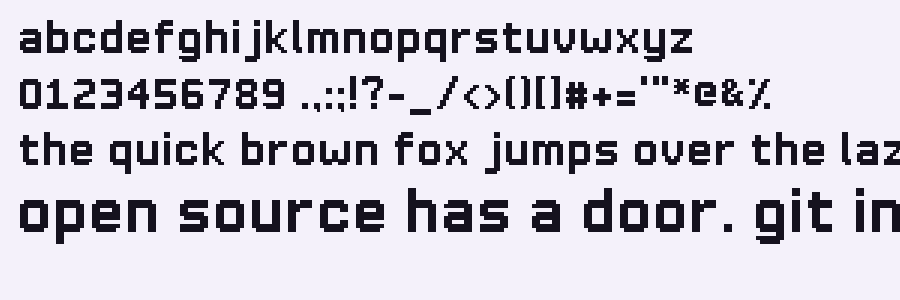
Two families. Gig Pixel is ours: a lowercase pixel face on a two-cell stroke, drawn on the same grid as the mark and built into a real font by the same script. It carries headlines and stickers. Instrument Sans carries everything you have to read for more than a line. Code is the system monospace.
abcdefghijklmnopqrstuvwxyz
0123456789 .,:;!?-_/<>()[]#+="*@&%
the quick brown fox jumps over the lazy dog.
Gig Pixel rules
- Lowercase only. Uppercase letters map to the lowercase drawings, so shouting is impossible.
- Use it at 32, 48, 64, 80, or 96 px. A cell is one sixteenth of an em, so those sizes land on whole pixels.
- Headlines, section titles, stickers, and the one-line tagline. Never body copy, never below 32 px.
- Files: GigPixel.woff2, GigPixel.ttf, specimen.svg. MIT licensed like the rest.
Instrument Sans rules
- Body at 17 px with 1.55 line height, lines under 70 characters.
- Weights 400 for text, 500 for navigation, 600 for subheadings. No 700 unless it's a button.
- Sentence case. No all-caps labels, no letterspaced eyebrows.
- Loaded from Google Fonts with a system-ui fallback, so the page still reads if the request fails.
icons.
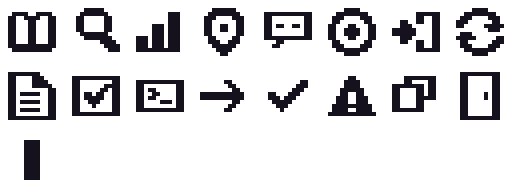
A 12-unit grid with a 2-unit stroke, one icon per journey phase plus a few for the interface. They inherit the text colour, so they work in both themes without separate files.
- learn
- discover
- evaluate
- orient
- community
- find issues
- contribute
- iterate
- proposal
- track
- terminal
- check
- copy
- door
Single-colour SVG files for each icon are in brand/icons, and sheet-ink.svg shows the whole set.
voice.
Lowercase, dry, warm. The brand talks like a good mentor in a chat window: short sentences, specific nouns, no hype.
Sounds like us
- open source has a door. git in.
- evidence > vibes.
- contested. pick another issue, or offer to review the open PR.
- missing data is reported as missing.
- one real contribution before applications open.
Doesn't
- 🚀 Unlock your GSoC journey today!!!
- The ultimate AI-powered toolkit for 10x contributors.
- Guaranteed acceptance strategies.
- Anything that implies Google built or endorsed this.
- Slang used because it is slang. If a mentor wouldn't say it, cut it.
stickers and stamps.
The house rules as die-cut stickers, and passport-style stamps for milestones. A print-ready sheet and tee artwork live in brand/merch.

sticker-git-in.svg 
sticker-merged.svg 
sticker-door-open.svg 
sticker-evidence.svg 
sticker-no-driveby.svg 
stamp-entered-merge.svg 
stamp-first-pr-merge.svg 
stamp-proposed-merge.svg 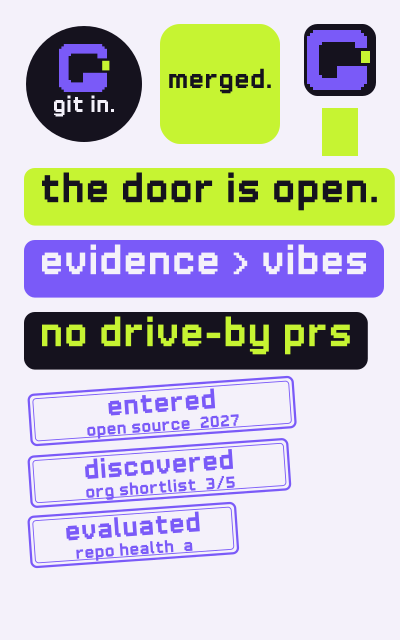
merch/sticker-sheet.svg 
merch/tee-back-dark.svg 
social/social-preview.svg 
readme/banner-light.svg
the fine print.
All assets here are original and released under the MIT license with the rest of the repository. You can use them to refer to the project, fork it, or make things for your community. You can't use them to suggest Google, the Google Summer of Code program, or GSoC organizations made, sponsor, or endorse something. Google Summer of Code and GSoC are trademarks of Google LLC; this project is independent and the name is descriptive. If you make something with the brand, we'd love to see it.
Regenerate everything with python -m scripts.brand.build --raster. The grid definitions are in scripts/brand/glyphs.py; colours and layouts are in scripts/brand/build.py.